Smart Bin with Raspberry Pi Pico 2 W
Autonomous, contactless and hygienic IoT project designed with System Development Life Cycle (SDLC).
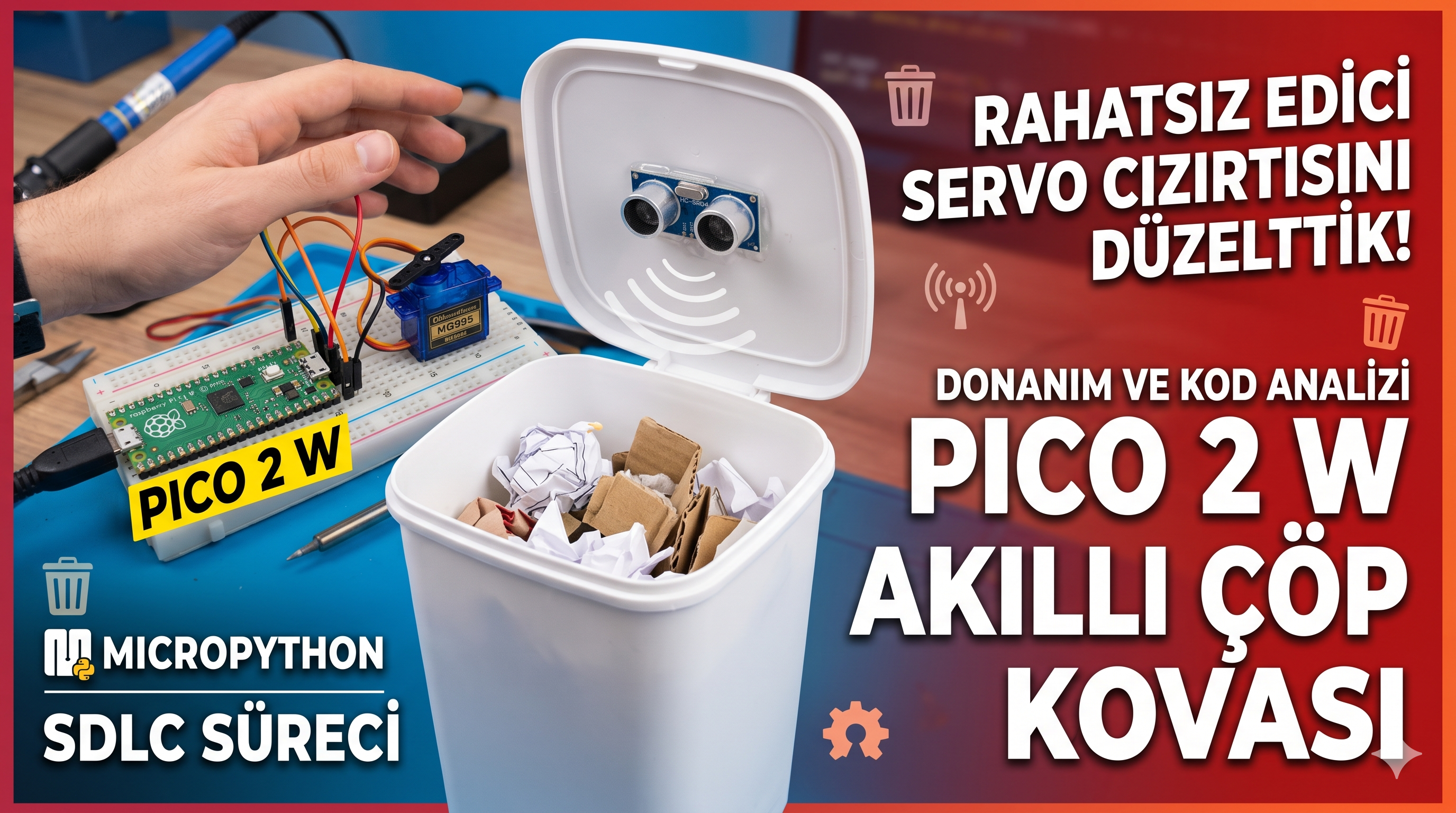
Project Overview Video
You can watch the hardware setup, solutions to technical challenges (servo jitter, insufficient current) and system working demo in the video below:
About the Project
Increasing hygiene standards in public and private work spaces is critical to prevent diseases transmitted through contact. The main goal of this project is to design an autonomous 'Smart Trash Can' that completely eliminates physical contact.
The system is powered by the Raspberry Pi Pico 2 W board, featuring the new-generation dual-core RP2350 microcontroller. An ultrasonic sensor is used to detect approaching hands, and a high-torque servo motor moves the lid.
Components Used
- Microcontroller: Raspberry Pi Pico 2 W (RP2350 Dual-Core)
- Sensor: HC-SR04 Ultrasonic Distance Sensor
- Motor: MG995 High Torque (10 kg·cm) Servo Motor
- Other: Breadboard, Jumper wires, external 5V power supply (stripped USB cable), trash can.
Schematic and Pin Connections
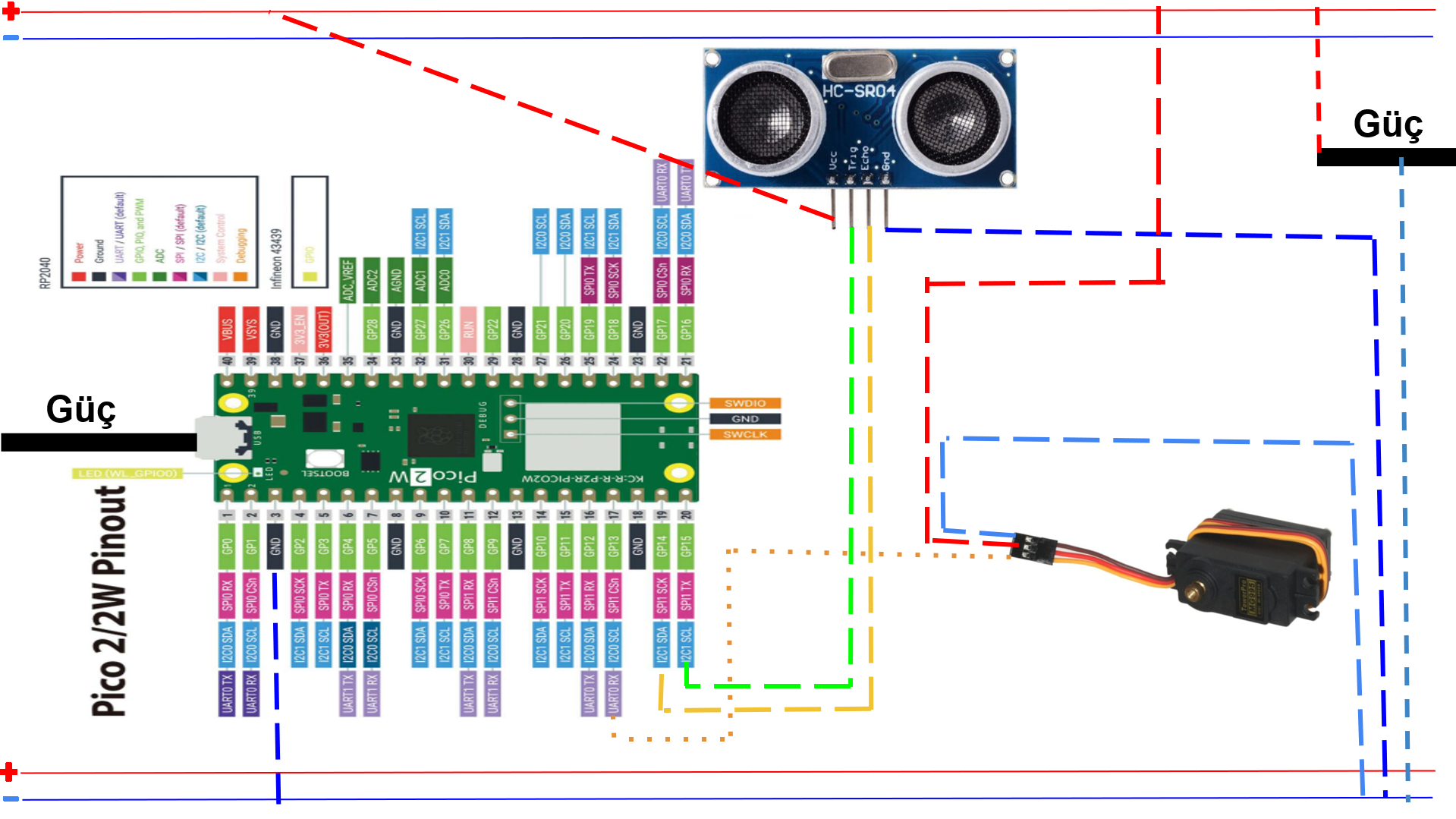
| Component | Pin / Lead | Pico 2 W Connection |
|---|---|---|
| HC-SR04 Sensor | VCC | External 5V Power Supply |
| GND | Common Ground (Pico Pin 3 - GND) | |
| Trig | GP15 (Pin 20) | |
| Echo | GP14 (Pin 19) | |
| MG995 Servo Motor | VCC (Red) | External 5V Power Supply |
| GND (Brown) | Common Ground (Pico Pin 3 - GND) | |
| Signal (Orange/Yellow) | GP13 (Pin 17) |
Step by Step Construction
- Setting up Power Infrastructure: Since the MG995 servo motor draws high current, the Pico's own USB output will be insufficient. Strip an old USB cable, connect the Red (5V) and Black (GND) wires to the breadboard's power rails.
- Common Ground Configuration: For stable operation, physically connect one of the GND pins of the Pico 2 W (e.g. Pin 3) to the negative (-) rail of the external power supply on the breadboard.
- Connecting Components: Connect the HC-SR04 distance sensor and the MG995 servo motor using jumper wires, strictly adhering to the pinout table and schematic.
- Mechanical Assembly and Calibration: Place the servo motor onto the hinge mechanism of the trash can. Remove the horn of the servo motor before running the code, power the system, and wait for the motor to reach position '0'. Then attach the horn while the trash can lid is fully closed.
- Flashing Software: Download Thonny IDE. Connect your Pico and install the MicroPython Firmware. Copy the code below and save it on your device with the name main.py.
MicroPython Code
from machine import Pin, PWM, time_pulse_us
import time

# Pin Tanımlamaları
trig = Pin(15, Pin.OUT)  # GP15 (Pin 20)
echo = Pin(14, Pin.IN)   # GP14 (Pin 19)
servo = PWM(Pin(13))     # GP13 (Pin 17)
servo.freq(50)           # Servo motorlar 50Hz frekans ile çalışır

# Servo Açı Ayarları (Kendi kovanıza göre kalibre edebilirsiniz)
KAPALI_POZISYON = 2100  # Çöp kovasının kapalı olduğu açı
ACIK_POZISYON = 4500    # Çöp kovasının açık olduğu açı

# Başlangıç durumu
servo.duty_u16(KAPALI_POZISYON)
print("Akıllı Çöp Kovası Başlatıldı. Kapak Kapalı.")
time.sleep(1)

# Başlangıçta motoru boşa alarak cızırtıyı kes
servo.duty_u16(0)

def mesafe_olc():
    # Sensöre tetikleme sinyali gönder
    trig.value(0)
    time.sleep_us(2)
    trig.value(1)
    time.sleep_us(10)
    trig.value(0)

    # Yankı süresini ölç (Zaman aşımı: 30000 us)
    sure = time_pulse_us(echo, 1, 30000)

    # Eğer sinyal gelmezse veya hata olursa
    if sure < 0:
        return 999

    # Süreyi santimetreye (cm) çevir
    mesafe = (sure * 0.0343) / 2
    return mesafe

while True:
    try:
        olculen_mesafe = mesafe_olc()

        # Eğer okunan mesafe 2 ile 20 cm arasındaysa (el yaklaştıysa)
        if 2 < olculen_mesafe < 20:
            print(f"El Algılandı! Mesafe: {olculen_mesafe:.1f} cm -> Kapak AÇILIYOR...")
            servo.duty_u16(ACIK_POZISYON)  # Kapağı aç

            # Kapağın açık kalma süresi (3 Saniye)
            time.sleep(3)

            print("Kapak KAPATILIYOR...")
            servo.duty_u16(KAPALI_POZISYON) # Kapağı kapat
            time.sleep(1) # Kapanması için bekle

            # Kapanma sonrası motoru boşa alarak cızırtıyı kes (Stall önleme)
            servo.duty_u16(0)

        time.sleep(0.1) # Hızlı döngüden kaçınmak için

    except Exception as e:
        print("Sistem Hatası:", e)
        time.sleep(1)
⚠️ Critical Pitfalls to Consider
1. Servo Jitter (Stall Current): High-torque motors draw current continuously and make a jittering noise when they hit mechanical limits. The servo.duty_u16(0) line in the code puts the motor to sleep after the lid closes, resolving this noise and saving energy.
2. Power Failure and Resetting: The MG995 motor can draw more than 1 Amp when loaded. The 3.3V or USB (VBUS) pins of the Pico cannot provide this power. To prevent device crashes/resets, always power the motor with an external 5V source (like a phone charger).
3. Common Ground Requirement: If you do not connect the GND of the external power source with the GND of the Pico, the system will not function and you cannot receive sensor data.
🛠️ Future Improvements and Bottlenecks
Voltage Divider Requirement: In this version of the project, the HC-SR04 sensor is directly connected to the Pico. However, the sensor runs on 5V and sends 5V back on the Echo pin. Pico 2 W's GPIO pins can tolerate max 3.3V. Although this works in short-term projects, it can damage the processor in the long run. A voltage divider consisting of 1K and 2K resistors should be added in future versions.
Mechanical Fatigue: The movement range (angles) of the motor can stretch the physical mechanism over time. In future steps, if drift occurs, calibration should be updated by adjusting the KAPALI_POZISYON and ACIK_POZISYON values.